បញ្ជាក់៖ នេះជាគំនិត និងរបៀបផលិតផ្ទាល់ខ្លួន។
ការបង្កើតពុម្ព
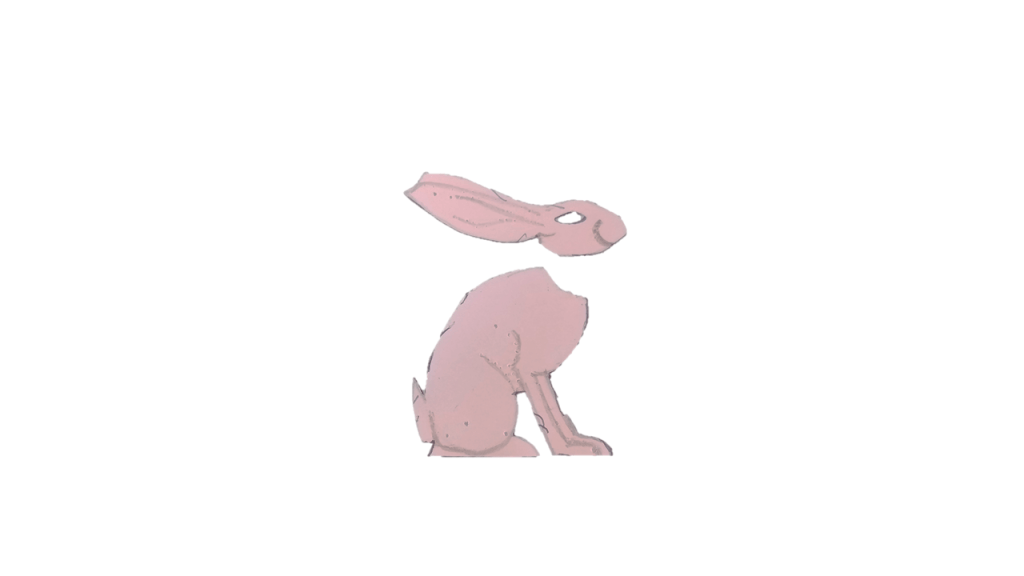
– គូររូបទន្សាយលើក្រដាស
– កាត់រូបនោះចេញមក
– កាត់ត្រង់ផ្នែកក្បាលនៃរូបចេញពីដងខ្លួន
វិធីបង្កើត Frame រូប
១. រូបទីមួយ
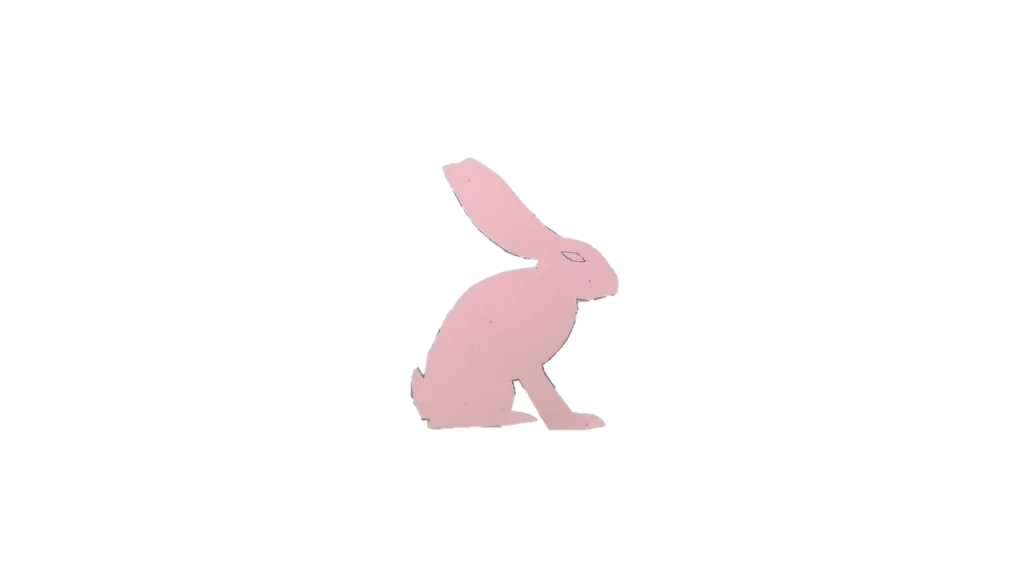
– ដាក់តួខ្លួនរូបទន្សាយនៅលើក្រដាស
– យកក្បាលនៃរូបមកដាក់បន្តុបពីលើ (បែបជារូបទន្សាយធម្មតា)
– គូរតាមពុម្ពរូប
២. រូបទីពីរ

– ដាក់តួខ្លួនរូបទន្សាយនៅលើក្រដាសតែមួយ តែខិតឆ្ងាយ
– យកក្បាលនៃរូបមកដាក់បន្តុបពីលើ រួចរំកិលក្បាលឲ្យងើយបន្តិច
– គូរតាមពុម្ពរូប
៣. រូបទីបី

– ដាក់តួខ្លួនរូបទន្សាយនៅលើក្រដាសតែមួយ តែខិតឆ្ងាយ
– យកក្បាលនៃរូបមកដាក់បន្តុបពីលើ រួចរំកិលក្បាលឲ្យងើយខ្ពស់ជាងរូបទីពីរ
– គូរតាមពុម្ពរូប
៤. រូបទីបួន

– ដាក់តួខ្លួនរូបទន្សាយនៅលើក្រដាសតែមួយ តែខិតឆ្ងាយ
– យកក្បាលនៃរូបមកដាក់បន្តុបពីលើ រួចរំកិលក្បាលឲ្យងើយខ្ពស់ជាងរូបទីបី
– គូរតាមពុម្ពរូប
៥. រូបទីប្រាំ

– ដាក់តួខ្លួនរូបទន្សាយនៅលើក្រដាសតែមួយ តែខិតឆ្ងាយ
– យកក្បាលនៃរូបមកដាក់បន្តុបពីលើ រួចរំកិលក្បាលឲ្យងើយខ្ពស់ជាងរូបទីបួន
– គូរតាមពុម្ពរូប
របៀបបង្កើតគំនូរជីវចល
– កាត់រូបទាំងប្រាំចេញពីក្រដាស
– ថតពុម្ពរូបទីមួយ
– ដាក់ពុម្ពរូបទីពីរឲ្យចំកន្លែងដែលដាក់ពុម្ពទីមួយ
– ថតរូប
– បន្តដាក់ពុម្ពទីបី, ទីបួន និងទីប្រាំត្រង់កន្លែងដែលដាក់ពុម្ពទីមួយ និងថតរូបនីមួយៗ
– បញ្ចូលរូបទាំងប្រាំទៅក្នុងកម្មវិធី editor
– កំណត់ duration នៃរូបនីមួយៗ
– ជាវីដេអូ៕
How to make animation of a hare raising head
Note: This is an idea and method of Chantchhaya.
How to produce a template
– Draw a hare on paper.
– Cut it out.
– Remove the head of hare picture off the body.
How to create frames
First frame
– Place the hare body on a paper.
– Place the head on top (like a normal hare picture).
– Draw following the template.
Second frame
– Place the hare body on the same paper, but move a little far.
– Place the head on top and move the head to raise up slightly.
– Draw following the template.
Third frame
– Place the hare body on the same paper, but move a little far from the second image location.
– Place the head of the rabbit on top and move it so that it is higher than the second image.
– Draw following the template.
Forth frame
– Place the hare body on the same paper, but move a little far from the third image location.
– Place the head of the rabbit on top and move it so that it is higher than the third image.
– Draw following the template.
Fifth frame
– Place the hare body on the same paper, but move a little far from the fourth image location.
– Place the head of the rabbit on top and move it so that it is higher than the fourth image.
– Draw following the template.
How to animate
– Cut each of the five images out of the paper.
– Take a photo of the first image.
– Put the second image on the same spot of the first image, then take photo.
– Put the third image, the fourth image, and the fifth image on the same spot, and take a photo of each of them.
– Add all photos to a video editor.
– Set duration of each frame.
– Save it as a video.

 ស្រមោលព្រះចន្ទ្រ